
Article
Pan Control in the ALTRON PTZ Tab: Five Horizontal Rotation Modes
Mount a line-scan camera on a pan head and the object no longer needs to pass in front of the camera. This time it is the camera that sweeps the scene. For this purpose, the camera panel in ALTRON has a PTZ tab. In the current version, this tab gives you only pan control, i.e. horizontal rotation of the camera head. Tilt and zoom are not in this tab.
Where is the PTZ tab?
Select the camera node to open its settings panel. The tabs have icons. Hold the mouse over the icons to find the PTZ tab, or type PTZ in the Ui Search box. All the controls are in the Pan group of this tab.
In the Pan group, choose one of these five modes:
When you select any mode other than Photo Finish, ALTRON changes the camera's trigger settings by itself:
- The trigger mode becomes Hardware Triggering, with Rising Edge.
- The exposure mode becomes Reset CCD Integration Ctrld.
- The Exposure Priority Over Fps option is turned on.
This means that in these modes the camera waits for the trigger pulse from the pan head. Returning to Photo Finish switches the camera back to Free Running. If you had previously configured the Trigger tab for another task, check it once after working with PTZ.
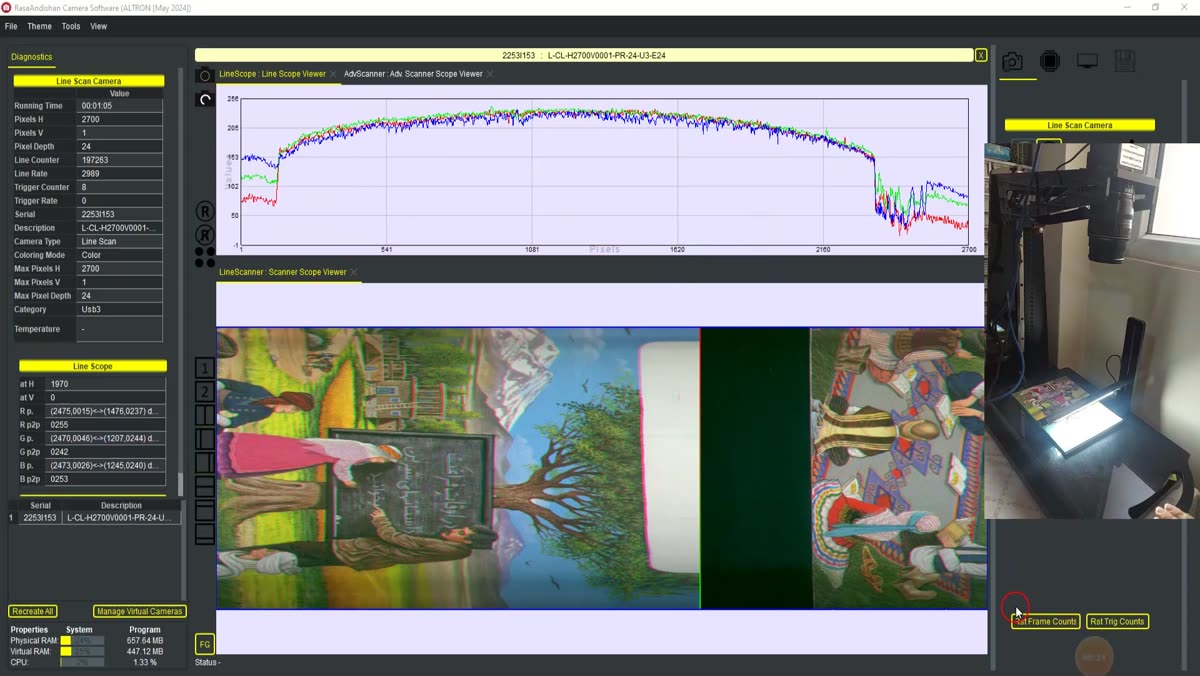
You don't need to guess the numbers. In the Advanced Scanner Scope display, the horizontal axis is the line number:
- For Position mode, click the point you want with the middle mouse button. A cyan plus sign appears and that line number is entered in the Position field.
- For Continuous Scan, drag a box over the scan area with the left mouse button. The left and right edges of the box are written into the two scan bound fields.
- Select the mode and press Run.
The same box also writes its vertical range into the line crop fields, but the crop is only applied when Crop Line is on.
In a back-and-forth scan, half of the data belongs to the return movement. If both directions are displayed or saved together, the image becomes mirrored and jumbled. To separate them, put the Direction Gate node in the graph. In the graph editor, this node appears with the short name DGATE. It passes only the lines whose number changes in the specified direction:
The Auto Lock option enables the automatic pan lock of the pan head. This option is off by default.
- They release Run in Position or Single Scan mode and are then surprised that the head stopped halfway.
- The scan mode is selected, but the hardware trigger signal is not connected. The camera waits for that pulse and no image arrives.
- Direction Gate is forgotten, and the data from both directions is saved in one file.
To learn more about PTZ cameras, Wikipedia article (English).
See our line-scan cameras on the line scan cameras page. If you want to set up the camera on a rotary head and have questions about trigger wiring, reach out via contact page.