
Article
RasaAndishan camera software
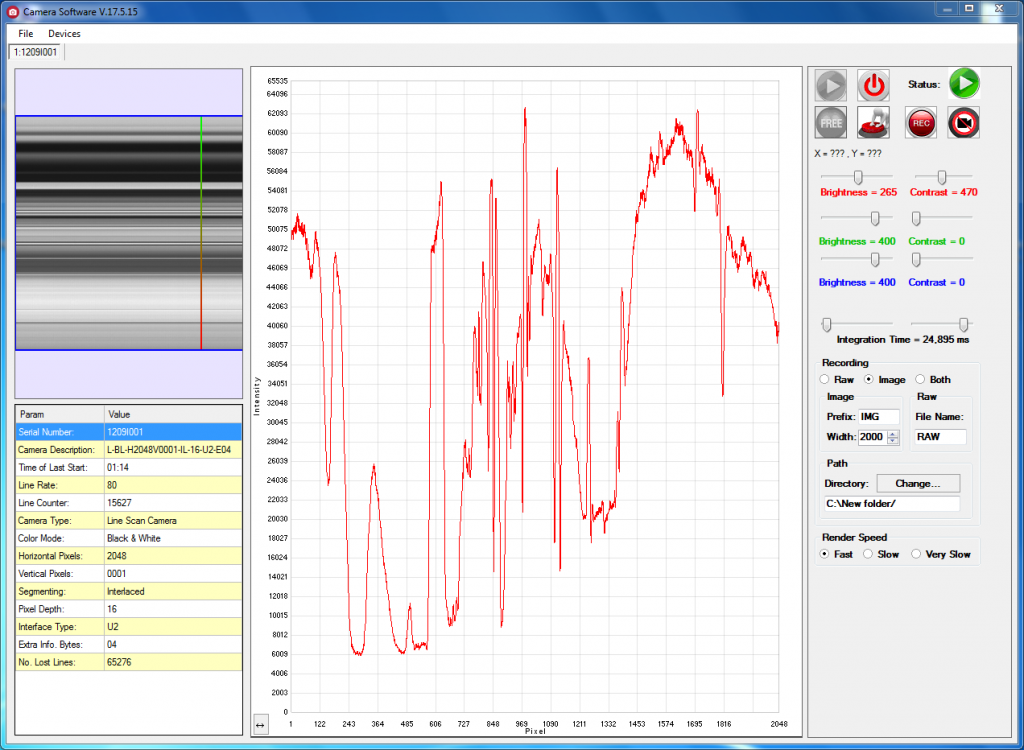
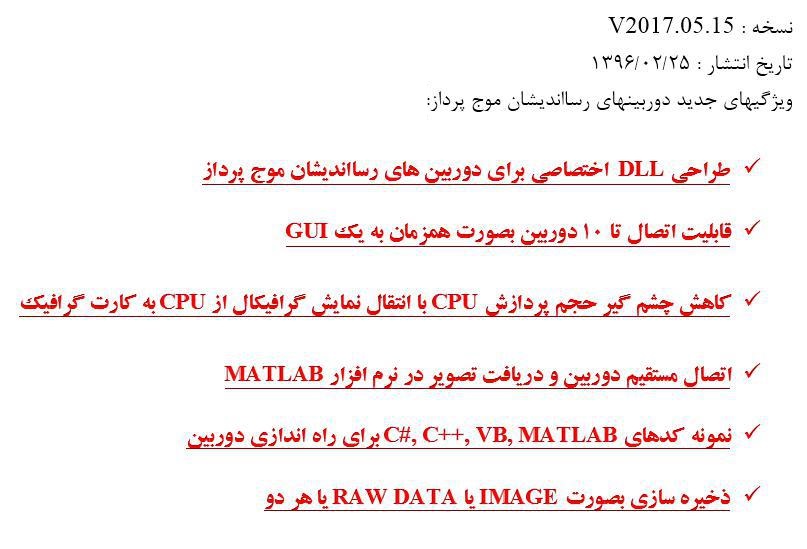
The RasaAndishan camera software has gained new features. In this article you will see what camera software does for you and how it builds a line scan camera image.
Every industrial camera needs camera software to be useful. The software receives the camera's digital data. It then displays the image the way you want. Without it, changing the camera settings becomes difficult.
In RasaAndishan line scan cameras and detectors, the electronic board converts the sensor's analogue pixels into digital data. The same board applies exposure time, analogue gain, signal offset and digital filters to the data. The camera software then shows the sensor image on the computer.
A line scan camera reads one line at a time. The camera software places these successive lines side by side and shows you the complete 2D image. All RasaAndishan cameras also support external triggering. With it you can synchronise image capture with an external event.
Suppose you want to inspect the body of a train. You position the line scan camera so the width of the train is in its field of view. As the train passes at constant speed, the software builds a very high-resolution image. The width of this image equals the camera's resolution, for example 2048 pixels. If you capture 10,000 lines, you get a 20-megapixel image.
The pages of some cameras, such as the RA-LSC-1205, also describe the features of the demo software. We have also prepared a clip that shows how a 2D image is built with a line scan camera. In it you can see how the software turns the lines into a complete image.
رسااندیشان برای دوربینهای خطی در راهاندازی آنها در نرمافزار اختصاصی شما هم کمک میکند. مشاورهی رایگان و سه سال گارانتی بیقیدوشرط از دیگر خدمات این دوربینها هستند. همچنین میتوانید demo clip of the line scan camera software را ببینید. برای آشنایی با مبانی پردازش تصویر، Digital image processing article on Wikipedia.